How to enable Frenda integration with 3Shape Unite
Prerequisites for the integration
- 3Shape Unite 21.1.x or newer.
- Frenda integration 1.0.2 or newer.
- Both standalone and client-server setups are supported, see Known Limitations.
The 3Shape Unite and Frenda (PMS) integration automates patient management in 3Shape Unite from Frenda, including creating, merging, and updating patients. This makes patient data management faster and easier.
Read more about Frenda
How to enable the integration in Unite
Follow the steps provided here: How to install "PMS integration" App from Unite Store
How to enable the integration in Frenda
Consult the Frenda documentation for detailed instructions. The following steps are provided as an aid to setting up and using the integration in Frenda.
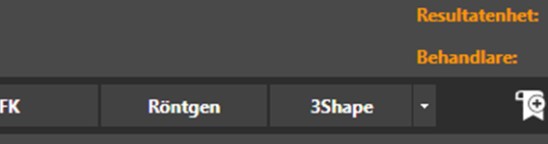
Step 1: Open Frenda and click the 3Shape button at the top of the menu.
Step 2: In the new window, fill in the required fields.
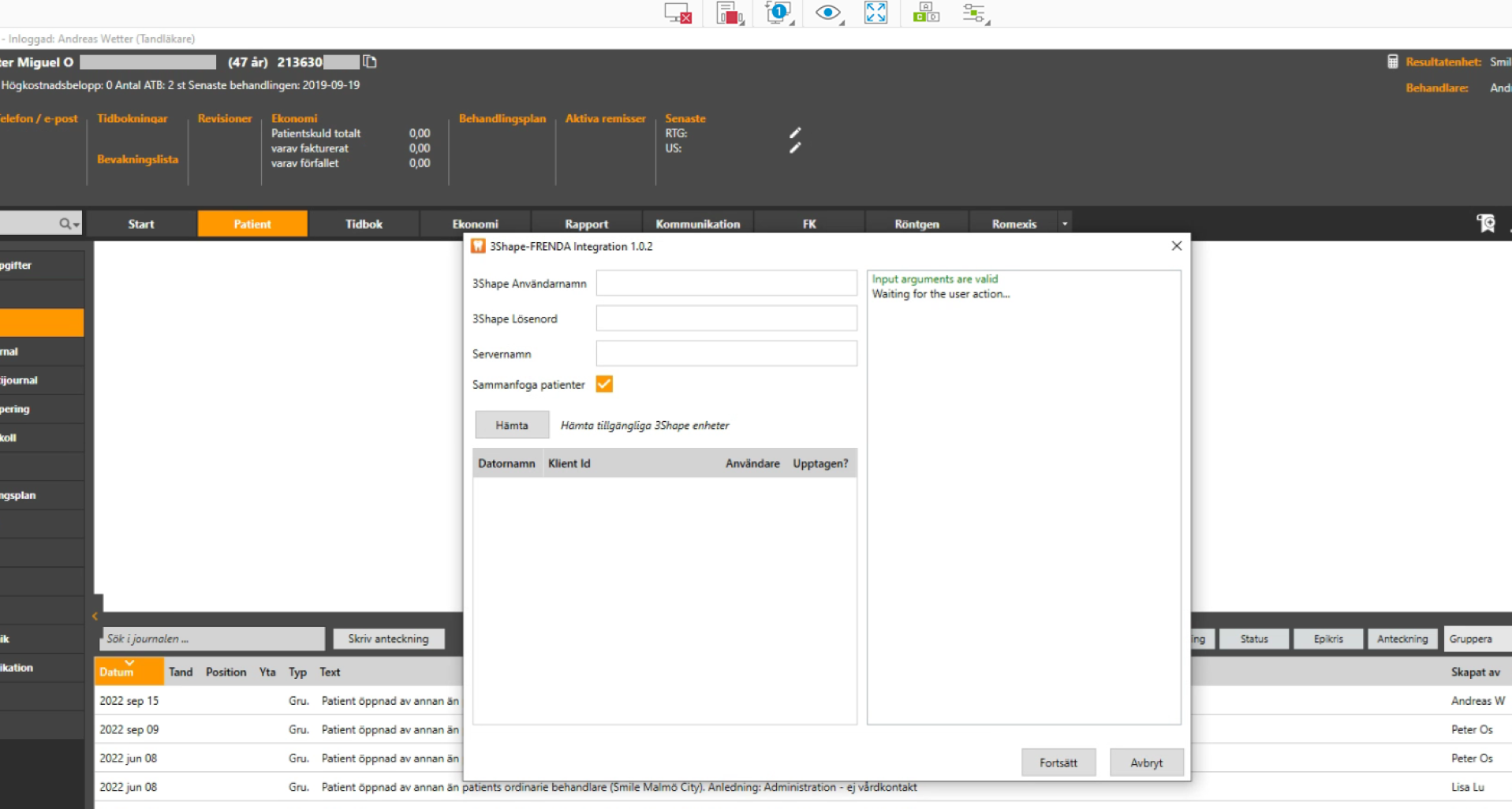
- 3Shape Användarnamn – The username of the 3Shape operator.
- 3Shape Lösenord – The password of the 3Shape operator.
- Servernamn – The IP address (preferably the full PC domain name) of the PC with the Unite server installed.
- Sammanfoga patienter – Determines whether the patient should be created as a new patient on the Unite client side or matched with an existing patient:
- Unchecked – Create the patient as a new patient.
- Checked – Match the patient with an existing patient.
- Click Hämta to retrieve the list of currently available online 3Shape Unite clients, then select a client from the list.
Step 3: Click Fortsätta to send a request to 3Shape Unite.
Step 4: The dialogue starts processing the request sent to 3Shape Unite.
Step 5: If the action is successful, the application closes automatically. Otherwise, an error message with a description is displayed.
Known limitations
- Patient updates are only propagated from Frenda to 3Shape Unite, not the other way around.
- For information about different PMS and Unite setup options, and integration on TRIOS Move, see Practice management system & Imaging system setup overview
Contact 3Shape Support if you have further questions.
For full information on correct usage please consult the official Safety and Setup Guide and the most current Manual.